refer to: https://github.com/stretchr/testify/#installation
如何使用?
https://github.com/stretchr/testify/#installation
安装超级简单。
go get github.com/stretchr/testify
1. 务必要有程序入口啊! 没有也行!OK command-line ... 是正常的。加上 -v 就好了。见底部。
前提是go语言,会把代码最终打包成为一个 可执行的二进制文件,所以,该文件必须有入口。
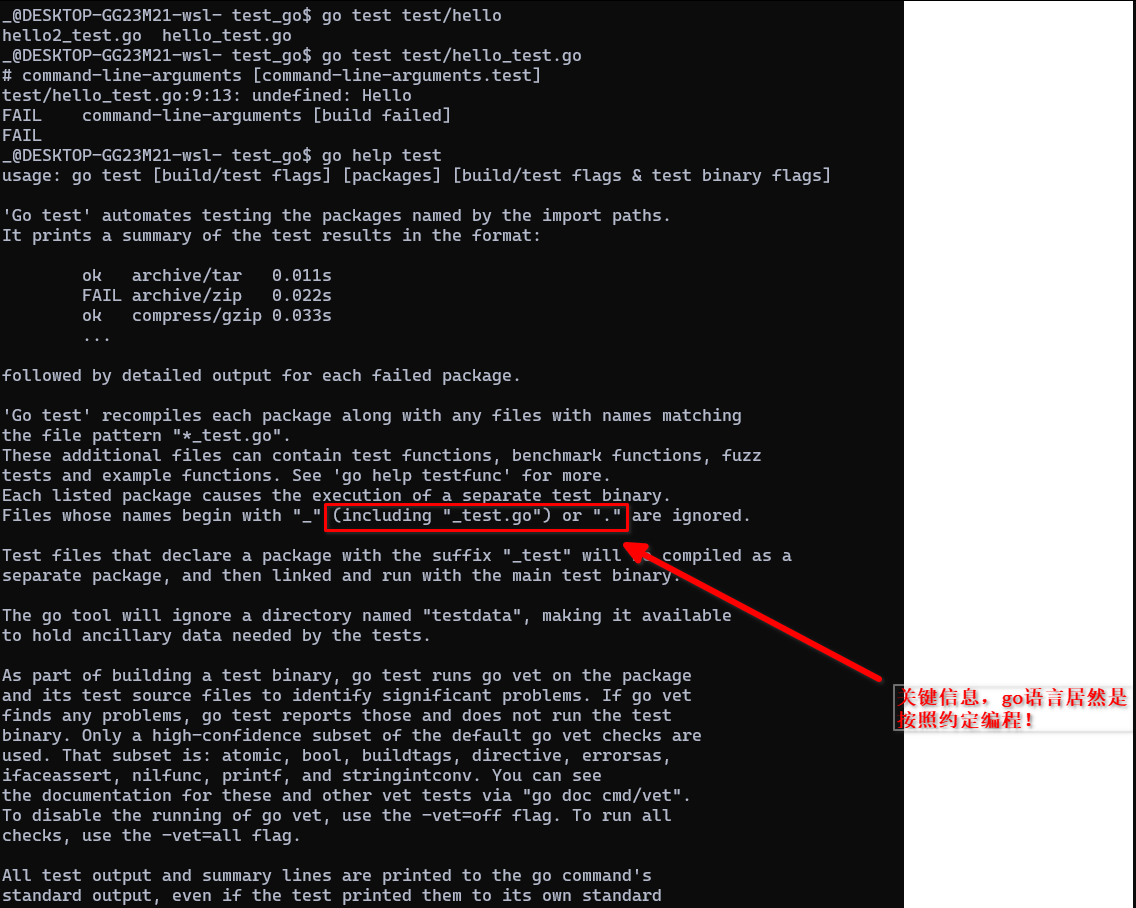
2. 如何写? 建立文件: test/my_test.go ( 注意 要以 _test.go为结尾)
可以使用 go help test 来查看详细的内容。
package yours

import (
  "testing"
  "github.com/stretchr/testify/assert"
)

func TestSomething(t *testing.T) {

  assert.True(t, true, "True is true!")  // 第三个参数可以不用。 第二个参数为expected

}
3. 运行
原则上是在根目录下执行:
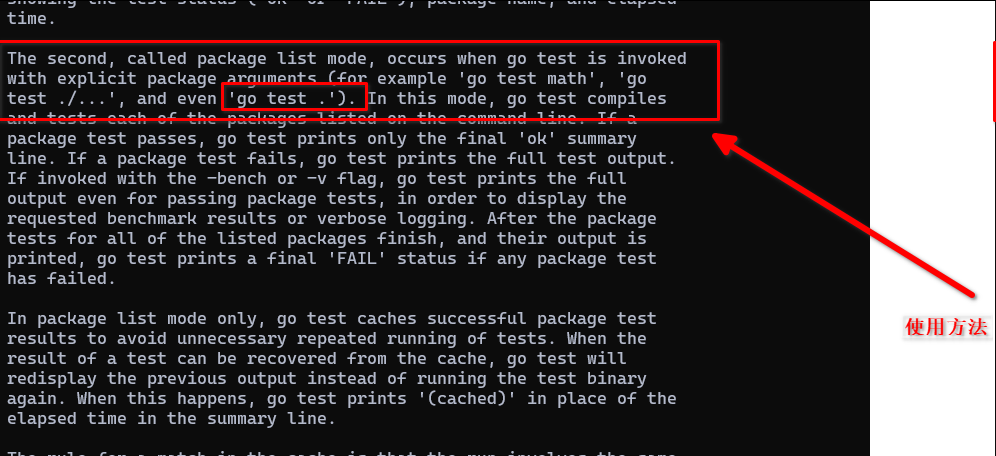
运行某个目录下的所有单元测试:
go test ( test 就是目录,包含了很多个单元测试文件 )
如何运行某个test ?
https://stackoverflow.com/questions/26092155/just-run-single-test-instead-of-the-whole-suite
go test -run TestMergeMultipleYearResult
某些时候,可以在test 目录下,运行某个特定的_test.go文件:
cd test
go test test1_test.go
4. 打印详细信息 -v
$ go test test/calculator_tool_for_foam_test.go -v
=== RUN   TestCalculateForFoamOneYear
hihihhi===============
--- PASS: TestCalculateForFoamOneYear (0.00s)
=== RUN   TestCalculateForFoamAllYears
--- PASS: TestCalculateForFoamAllYears (0.00s)
PASS
ok      command-line-arguments  0.003s
5.测试函数可以跟实现函数放在同一个文件中。例如:
package hello

import (
  "testing"
  "github.com/stretchr/testify/assert"
)

func Hello() string{
  return "asdf===="
}

func TestHello(t *testing.T) {
  result := Hello()
  assert.Equal(t, "asdfd", result)
}
执行:
_@DESKTOP-GG23M21-wsl- test_go$ go test test/hello_test.go
--- FAIL: TestHello (0.00s)
    hello_test.go:14:
                Error Trace:    /workspace/test_go/test/hello_test.go:14
                Error:          Not equal:
                                expected: "asdfd"
                                actual  : "asdf===="

                                Diff:
                                --- Expected
                                +++ Actual
                                @@ -1 +1 @@
                                -asdfd
                                +asdf====
                Test:           TestHello
FAIL
FAIL    command-line-arguments  0.002s
FAIL
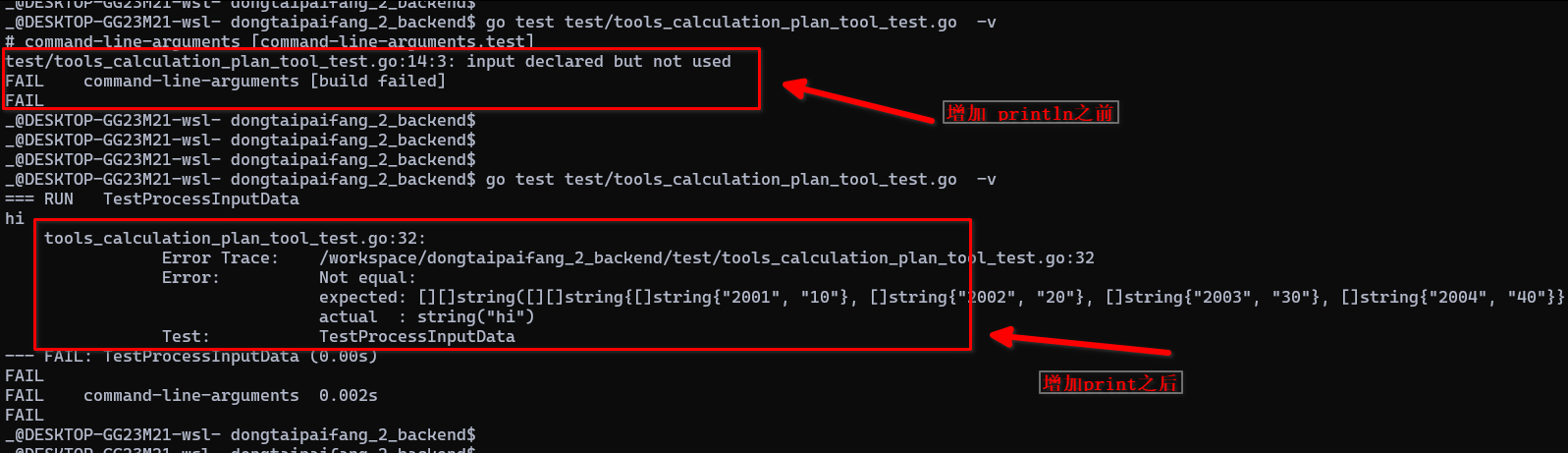
6. 遇到对应的函数找不到的时候,就加上个fmt,看是不是被go缓存了,导致无法识别
例如:
$ go test test/tools_calculation_plan_tool_test.go  -v
# command-line-arguments [command-line-arguments.test]
test/tools_calculation_plan_tool_test.go:22:19: undefined: tools.ProcessInputData
FAIL    command-line-arguments [build failed]
FAIL
这个情况不是方法找不到,而是 go语言内部出问题了。
为对应的目标函数增加个fmt.Println 就会刷新对应的缓存啥的,该问题就不见了。