
refer to:
https://doveip.com/
2023-2-23 更新
对于大陆用户,需要先把IP填写到IP白名单中,并且申请的时候,只能用auth=0 这个参数的模式来获取IP
对于海外用户则没有限制。
我是昨天中午的时候,国内国外都试了,不行。问了客服,不行。国内国外都添加IP白名单,不行。
今天早上起来,国外的行了。
好神奇。
1. 注册, 登录
2. 充值,可以选择 TRX 的usdt
3. 使用 (普通方式,一个IP反复用)
3.1 获得 token
curl -d "user=abcd&password=abcd" https://dvapi.doveproxy.net/cmapi.php?rq=login
{"errno":200,"msg":"Success","data":{"token":"OXhRbHd2M??????Vml0SVArUT09"}}
3.2 获得 ip
各种参数:(具体见:https://doveip.com/admin.php?s=/tutorials/api.html&lang=en-us#show-ip-api )
user= dove ip 用户名
password= 密码
token: 刚刚申请的token
auth: 0 是否是白名单(任何人都可以使用)
geo: 从哪个国家来拿ip
agreement: 代理类型 0: socks5, 1: http
type_ip: 1 ipv4, 2 ipv6
timeout: 10~35 之间,单位是分钟。 ip的有效时间。
国家和城市列表: (看这个)https://doveip.com/index.php?s=/documentation/city.html&lang=en-us
常用的城市: us jp ru 俄罗斯 tr 土耳其
这个决定了你能否的到ip proxy
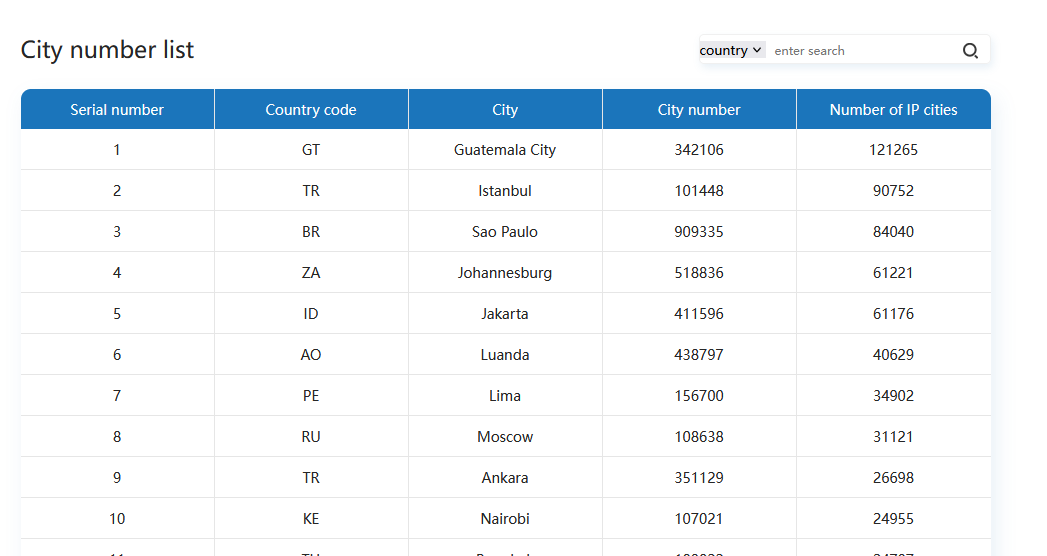
curl -ipv4 -d "user=xxx&password=xxx&token=dGc3V3Rnb2EzTERpckJpUXBUSjRRZz09&auth=0&geo=tr&agreement=0&timeout=35&type_ip=1" https://dvapi.doveproxy.net/cmapi.php?rq=distribute
{"errno":200,"msg":"Success","data":{"geo":"mx","ip":"47.253.12.97","port":40004,"d_ip":"189.203.105.247"}}
获得ip的结果:
geo: 哪个国家的
ip: 使用者使用的ipd
port: 使用者使用的端口
d_ip: 目标网站 被访问时,看到的ip 地址(真实暴露的ip)
然后就可以在你的本地使用了(注意)
批量获得IP地址的脚本
require 'json'

def get_one_ip
  url = %Q{curl -ipv4 -d "user=bigbanaxxx&password=xxx&token=dGc3V3Rnb2EzTERpckJpxxx&auth=0&geo=ru&agreement=0&timeout=35&type_ip=1" https://dvapi.doveproxy.net/cmapi.php?rq=distribute -sS}

  response = `#{url}`
  puts "======= response: "
  puts response

  puts "==========="
  json_string = ""
  response.split("\n").each do |line|
    if line.include?("err")
      json_string = line
    end
  end
  return json_string

end

json_strings = []
(1..5).each do |i|
  json_strings << get_one_ip
end

json_strings.each do |json_string|
  ip = JSON.parse(json_string)["data"]["ip"]
  port = JSON.parse(json_string)["data"]["port"]

  return "  socks5  #{ip} #{port}"
end
4. IP轮盘模式。
(目测IP可以连通,但是IP不会每次发起请求跟着变化, 不建议使用)
申请到一个IP轮盘(用户名密码IP端口) 然后就正常用
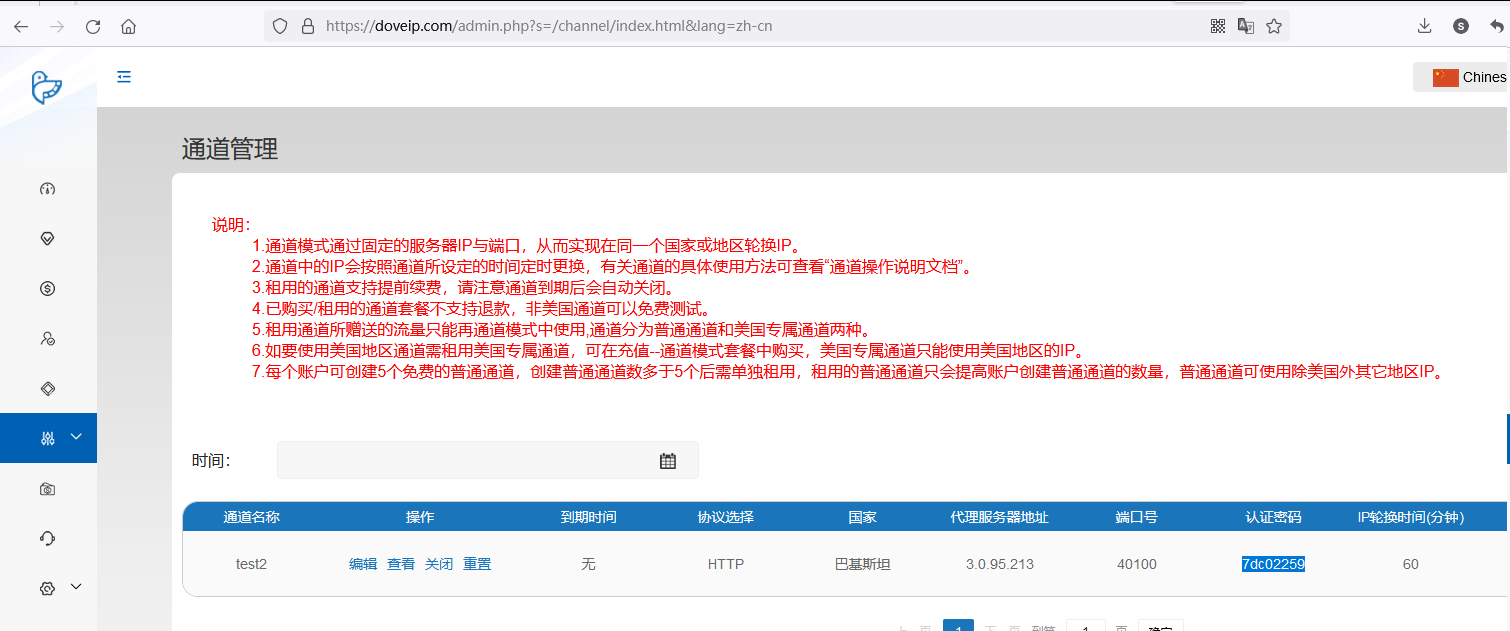
注意下面的密码来自于上面截图,而不是你的doveip密码
curl -x socks5://username:yourpassword@3.0.95.213:40100 http://bug.yourtarget.com